



Planner Board | Board Planner
Multi-Project Planner Spreadsheet | Gantt Chart, Kanban Board & Calendar for Google Sheets and Excel
Streamline your project management and stay organized with this Multi-Project Planner Spreadsheet, a comprehensive digital solution designed to help you plan projects, manage tasks, monitor progress, and keep deadlines under control.
Designed for both Google Sheets and Microsoft Excel, this versatile spreadsheet brings essential project management tools together in one connected system. With an integrated Gantt Chart, Kanban Board, and Calendar View, you can manage multiple projects, visualize timelines, organize workflows, and maintain a clear overview of upcoming tasks and deadlines.
Whether you're a freelancer managing client projects, a small business coordinating team activities, or an individual organizing personal projects, this spreadsheet provides a structured yet flexible way to manage your workload.
WHAT'S INCLUDED
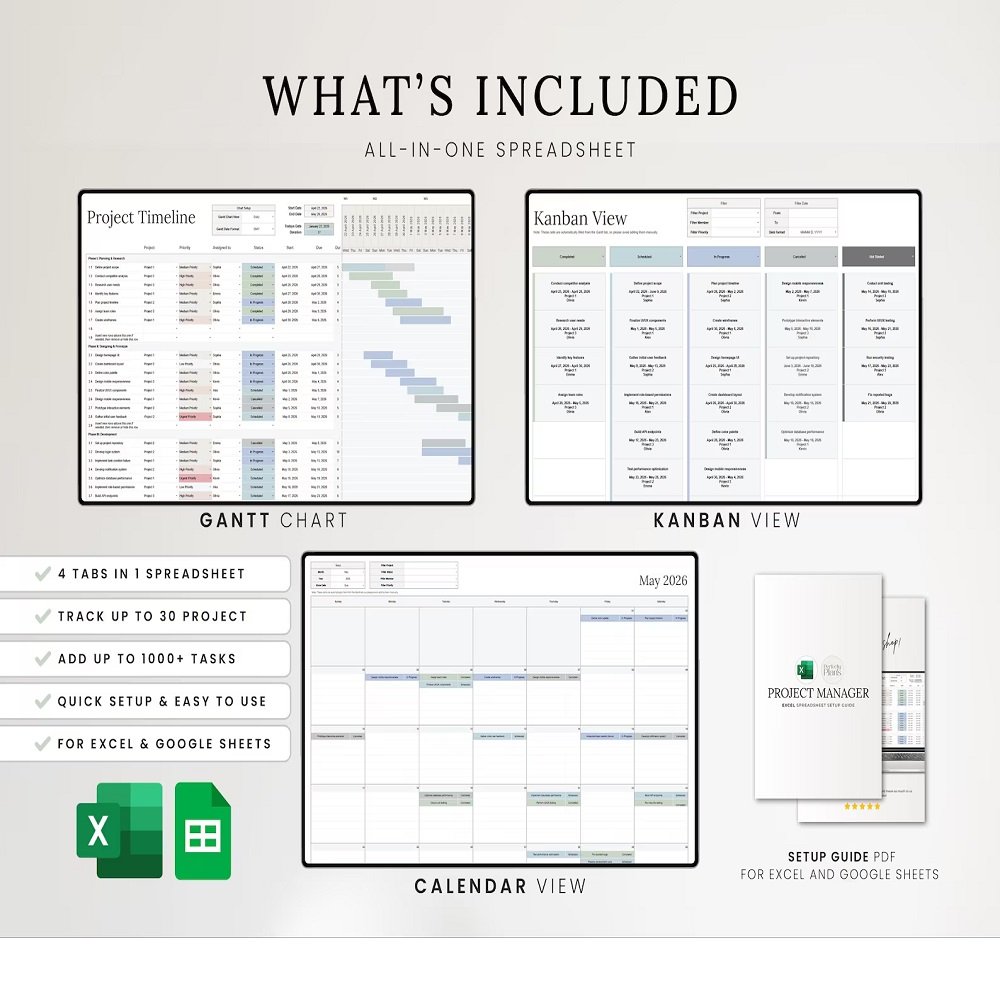
The spreadsheet includes several interconnected tools designed to simplify project planning and task management:
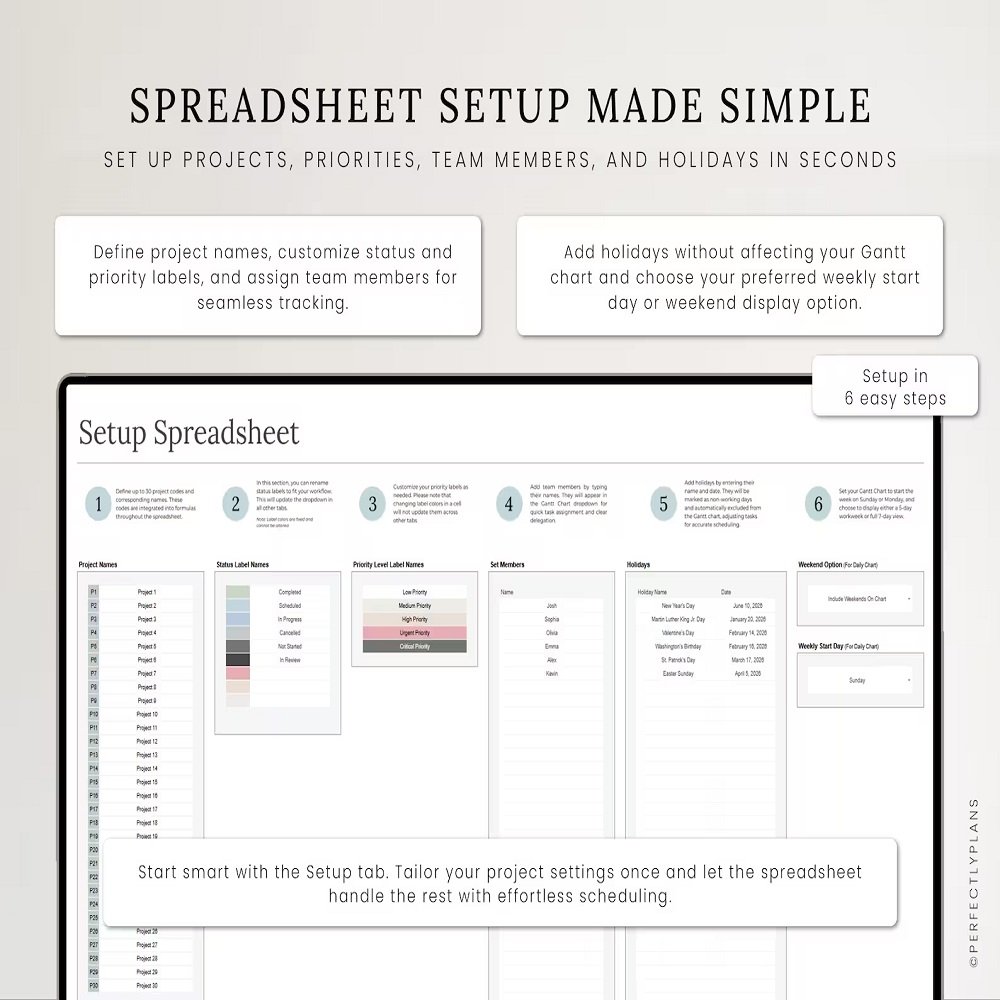
- Setup Tab – Customize project settings and workflow preferences.
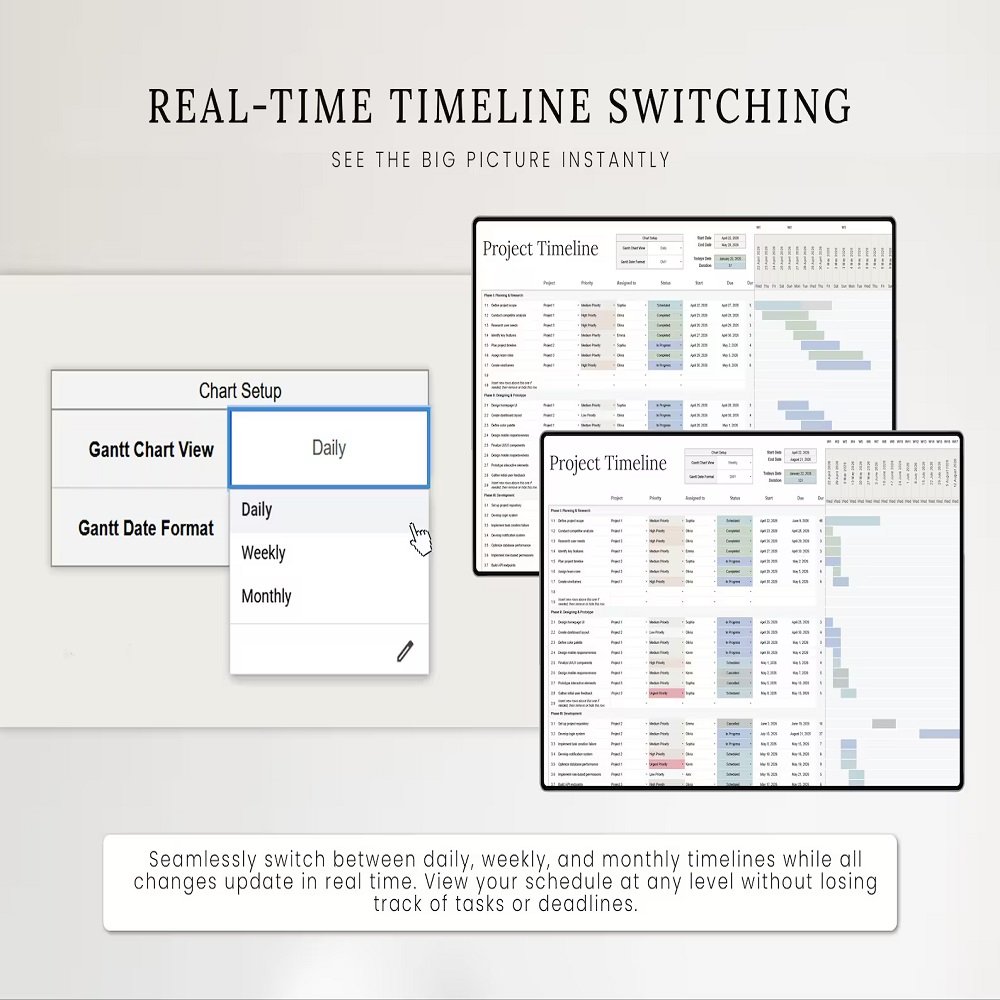
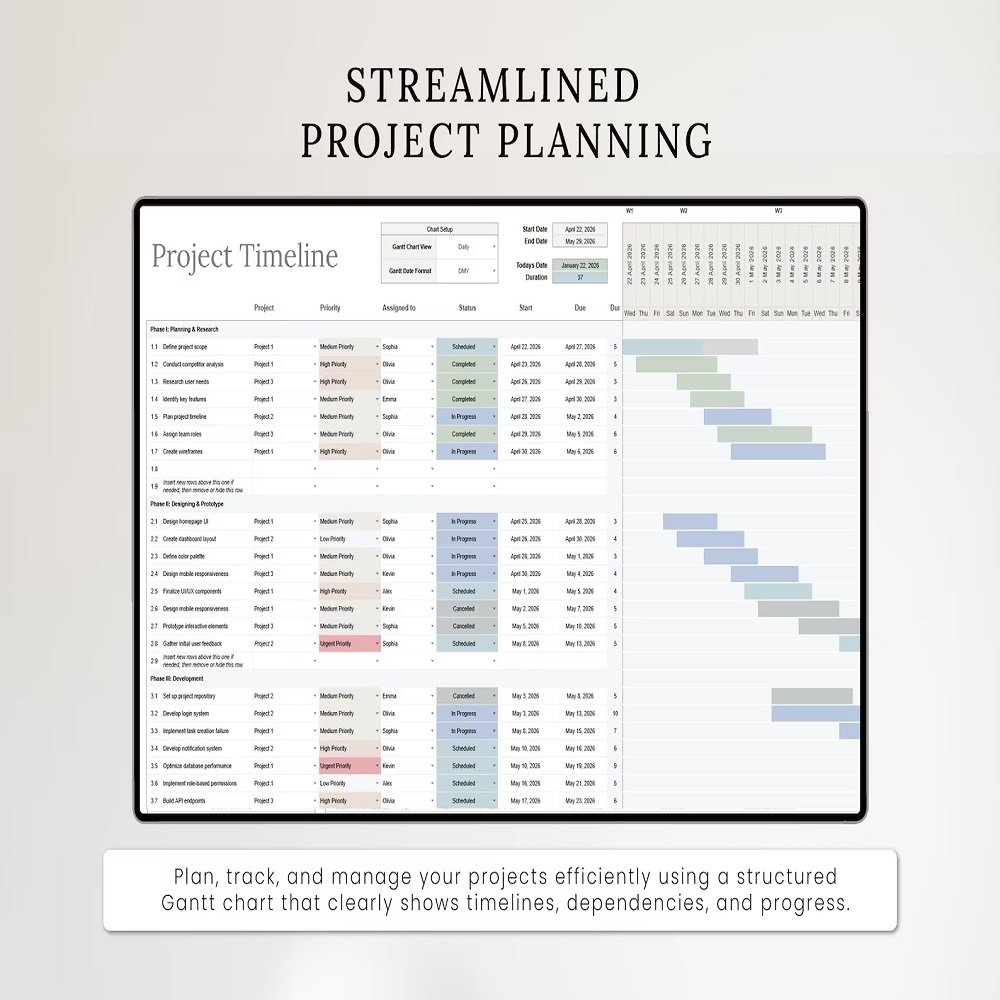
- Gantt Chart – Plan project timelines, schedule tasks, and monitor progress.
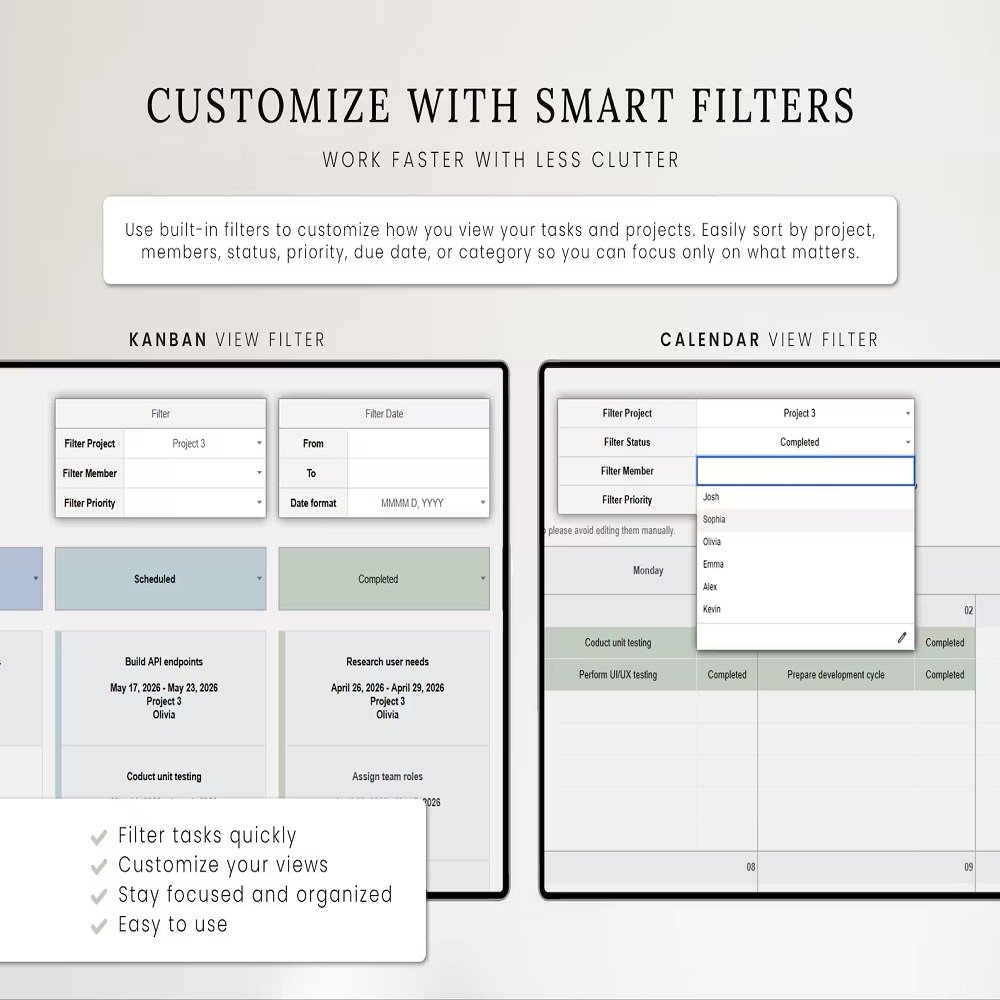
- Kanban Board – Visually organize tasks according to their workflow or status.
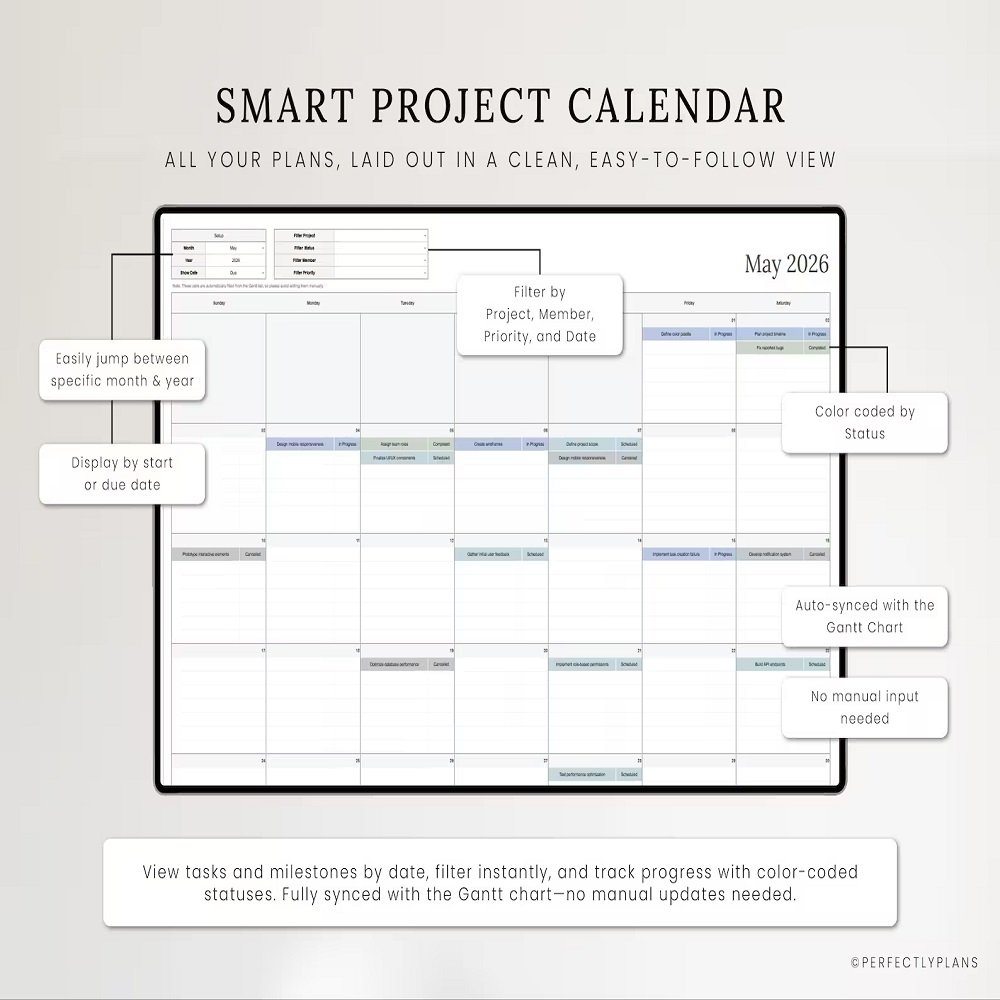
- Calendar View – Review tasks, schedules, and deadlines through a monthly calendar.
- Automated Formulas – Reduce manual calculations and streamline task tracking.
- Dropdown Menus – Quickly update task information and workflow statuses.
- Multi-Project Tracking – Manage several projects within one organized workbook.
KEY FEATURES
Gantt Chart for Timeline Planning
Use the Gantt Chart to create a clear visual representation of your projects. Schedule tasks, establish timelines, monitor progress, and keep important deadlines visible.
This makes it easier to understand how individual tasks fit into the overall project schedule.
Kanban Board for Workflow Management
The integrated Kanban Board provides a simple visual way to manage tasks as they move through different stages of completion.
Use it to organize your workflow, identify outstanding tasks, monitor progress, and maintain a clear overview of project activity.
Calendar for Scheduling
The Calendar View allows you to review tasks and deadlines according to their scheduled dates. This provides a convenient monthly overview and helps you identify upcoming responsibilities and important milestones.
Connected Task Management
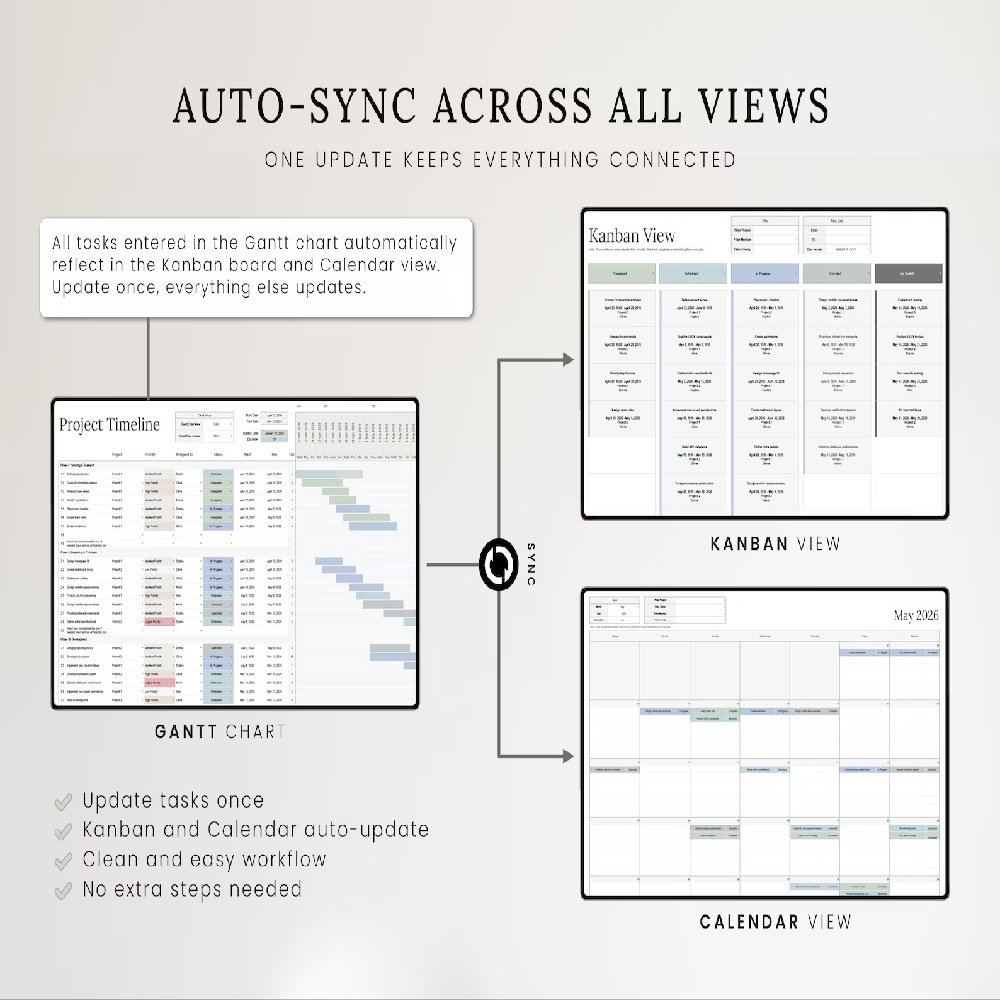
The spreadsheet is designed so that information entered or updated within the system can flow across the relevant views.
Update your task information and use the connected Gantt Chart, Kanban Board, and Calendar to maintain a consistent overview of your projects.
HOW IT WORKS
Getting started is simple:
- Open the spreadsheet in Google Sheets or a compatible version of Microsoft Excel.
- Begin with the Setup tab and customize the available settings.
- Add your projects and tasks to the appropriate planning area.
- Enter task details, dates, statuses, and other relevant information.
- Use the Gantt Chart to visualize project timelines.
- Monitor task progress through the Kanban Board.
- Review upcoming tasks and deadlines using the Calendar View.
- Duplicate the spreadsheet when you need a new planning system for future projects.
PERFECT FOR
This project management spreadsheet is suitable for:
- Freelancers
- Entrepreneurs
- Small businesses
- Project managers
- Virtual assistants
- Consultants
- Creative professionals
- Teams and collaborators
- Students managing large projects
- Individuals organizing personal projects
- Anyone who needs a structured task management system
Use it for project planning, task management, workflow organization, deadline tracking, team coordination, content planning, business projects, client work, event planning, or personal productivity.
A FLEXIBLE ALTERNATIVE TO COMPLEX PROJECT MANAGEMENT SOFTWARE
If you prefer working with spreadsheets rather than complicated project management platforms, this template provides a familiar and flexible environment for organizing your projects.
You can manage your information directly within Google Sheets or Excel while using visual tools such as the Gantt Chart, Kanban Board, and Calendar to gain different perspectives of your workload.
The reusable design also allows you to duplicate the workbook and create separate planning systems for future projects.
GOOGLE SHEETS & MICROSOFT EXCEL COMPATIBILITY
This digital planner is designed for use with:
- Google Sheets
- Microsoft Excel 2021 or newer
- Microsoft 365
IMPORTANT COMPATIBILITY NOTICE
Some features may not function correctly in Excel 2019 or earlier versions and may display errors. For the best experience, use Microsoft Excel 2021 or newer, Microsoft 365, or Google Sheets.
DIGITAL DOWNLOAD
This listing is for a digital product only.
No physical product will be shipped.
After purchase, you will receive the digital spreadsheet file required to begin setting up your project management system.
PLEASE NOTE
- This product is optimized for English-language users.
- Some features may not be suitable for other languages.
- Spreadsheet functionality may vary depending on the software and version being used.
- Microsoft Excel 2021 or newer/Microsoft 365 is recommended.
- Excel 2019 and earlier versions may not support all features.
- A compatible spreadsheet application is required.
- This is a digital product; no physical item will be delivered.
- Due to the digital nature of the product, all sales are final.
- This product is intended for personal use only.
- Files may not be resold, redistributed, shared, or commercially reproduced.
ORGANIZE PROJECTS WITH CLARITY
Bring your projects, tasks, schedules, and deadlines together with this Multi-Project Planner Spreadsheet for Google Sheets and Excel.
With its combination of Gantt Chart, Kanban Board, Calendar, automated formulas, dropdown menus, and customizable setup options, this spreadsheet provides a practical and organized way to manage multiple projects without unnecessary complexity.
Plan your timelines, track your tasks, monitor progress, and stay focused on your priorities—all within one flexible project management system.



Reviews
There are no reviews yet.